A Lazy Singleton

Every profession has its own jargon. It helps convey ideas to fellow professionals quicker. Some terms are more important than others, because they encapsulate a whole solution with a single expression.

The software world is no different. We have plenty of terms we use on a daily basis to convey software (or hardware) ideas. Terms like big O, memory, function and loop are all good examples.

And just like in other fields, some terms convey more complex ideas. One group of such terms is the design patterns. Each design pattern solves a problem in a clear way that any experienced developer would recognize.

If you’re new to this world, or seek to improve, I highly recommend you get your hands on Design Patterns: Elements of Reusable Object-Oriented Software. This is the bible of design patterns. Learning it will enrich your tool belt considerably.

Why reinvent the wheel when you can solve the problem with a simple, recognisable and proven pattern? Why struggle explaining to your colleagues what you’ve done when you can simply say, “oh, it’s a factory method”.

Be an efficient developer. Know the jargon.

I may get commissions for purchases made through links in this post.

Do I Have To Do Everything Around Here?

My time is limited. Between work, sleep, eating, training, washing and tidying up, it’s hard to find time for anything. There are simply too many things to do.

Many of these things there’s no avoiding. Trust me, I tried skipping sleep. It doesn’t work very well! Other things, however, you don’t have to spend time on.

Like everything in life, it’s a trade-off. And this experience of mine might not suit everyone. I find one way to free up time is to trade time for money. You could say I buy time.

How? You might ask. It’s simple. I delegate. I don’t clean the house. I pay a cleaner (if you’re in the UK, you can get two hours of free cleaning from my cleaners by following this link). I do as little of my finances as I can to stay in the loop. The rest is handled by my accountant. I hope the next step would be to have an assistant taking some other chores off my back.

That’s how successful businesses operate. Managers delegate. I’m freeing up time for what really matters. Potentially, I can focus on making more money. At the same time, I am helping others make a living. The eco-system around me thrives, and everybody wins.

I can’t do everything myself. And I shouldn’t. I need to focus on the things which have the highest returns for me. And those I can’t avoid, of course. Unfortunately, I can’t fast forward my training. But where I can, I delegate. I buy my time.

If you book your free two hours of cleaning, I’ll get two hours for free, too.

Smooth Operator

“I’m calling about your accident”. “This is HMRC, please call us back for the tax refund you are owed”. The number of scam and spam calls made on a daily basis is astounding. It feels like the phenomenon is out of hand.

What’s more frustrating is that our phones are helpless. They can only recognize numbers saved in our contacts. Unfortunately (or not!), none of the scam callers are in our contact list. That means we can’t reliably block them. So how do we save ourselves the trouble of picking up the phone only to hear a mechanical voice urging us to give our money away? Luckily, there is a solution.

Both Android phones and iPhones have a wide range of free apps that recognize and block scammers and spammers. For Android, we have Caller ID, Truecaller and a host of others. For iPhones, we can use Hiya. There’s also a version of Truecaller for iOS. The list goes on.

These apps all maintain a global list of known scammer phone numbers. When you get a call, they match the caller’s number against that list. If the number is recognized, it can automatically be blocked. You can also set it so that you’re warned but can still take the call.

These apps can save you a lot of time and grief. To save yourself some time and the risk of getting scammed, install a caller ID app and protect yourself.

Not Now, Email

Procrastination is vastly different from owning your time. Not every task can (or should) be done straight away.

When an email comes in, it tries to bite into my time. Some emails are real time sinks. Those lead into forms or tasks I would have to perform to address them. If I actioned them all as they came in, it would seriously skew my daily routine.

I prefer to own my time. There’s a better time to address this email. Maybe it’s after work. Maybe it’s over the weekend. I usually skim through the email to determine the best time to address it.

I have a few rules of thumb when deciding when to address an email.

If it’s urgent, I may address it straight away. If it’s important to me, but can wait a little bit, I schedule it to after work. If it isn’t all that important, I schedule it to the weekend. Maybe it’s an article I want to read. Some emails relate to an event coming at a certain date. I tend to schedule those closer to the event.

Most emails have a natural time they should be read at. With some exercise, finding that time becomes second nature.

Gmail has a nifty feature you can find in its top tool bar. It allows you to schedule an email to a future date. This is pretty much the same as changing when the email came in to match YOUR schedule.

I can’t stress enough how valuable this feature can be in managing your time. Note how no email is postponed to a random future time. This isn’t about procrastination. Your time is precious. YOU should own it.

There’s a Hole in the Bucket

I love automation. Automation is all about taking the repetitiveness and time consumption out of menial tasks. It is also about reducing the error rate.

Unfortunately, there are some tasks that seem too painful to automate – at least for now. One of those tasks could really save me money. I’m talking about checking my bills regularly.

Every week or so, I try to find the time to go over all my bills and transactions. I go over every credit card statement and every bank statement. Quite regularly, I find errors. There’s always a charge I did not approve, or a miscalculated bill. Sometimes a payment or a refund I’m expecting is missing. I found no way to automate this process yet. Some chores are like that.

But not all is bleak. While I can’t automate this task, I can schedule a weekly reminder with the list of services I need to check. I recommend you do the same. A week may be too much for you. How about a month? However often you schedule it to, at least schedule it. It will stop the leakage and save you money.

A Filing Cabinet in My Pocket

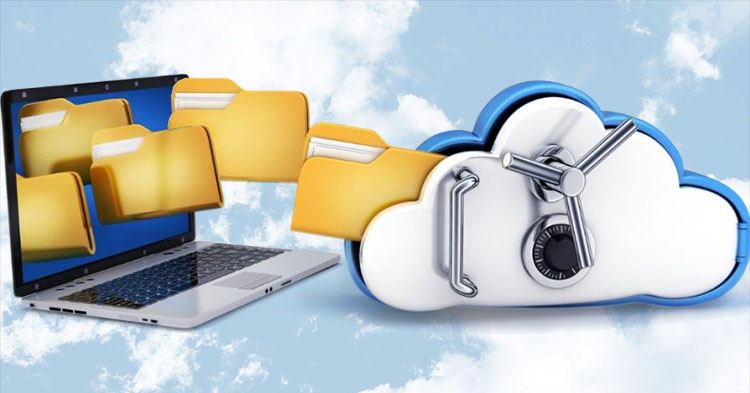
Having your important files everywhere is a huge convenience. I lost count of the number of times I needed my passport, a recent proof of address or my CV handy.

In all of these cases I was grateful for Dropbox. Dropbox is a cloud storage service owned by an American startup of the same name.

There are similar solutions offered by Microsoft and Google. I prefer to support the underdogs.

The free plan offers a generous 2GB of cloud storage. That’s more than enough to store all your important documents. Dropbox has apps for just about every platform, including Windows, MacOS, Android and iOS. This means you have access to your files on all these platforms. The app takes care of saving the files on the cloud for you. All you have to do is place them in the dedicated Dropbox folder.

Other than file storage, Dropbox also lets you share these files with others. It also offers recovery of deleted files for 30 days from deletion.

I opted for their plus plan, which offers a whopping 2TB of storage for £7.99 ($9.99) per month at the time of writing. This gives me the peace of mind of never running out of space when storing all my important documents.

Whenever I receive an important letter, I immediately scan it and keep the scanning in my Dropbox. Doing so saved me incredible amounts of time in the past.

Don’t get caught without your important documents. Use Dropbox.

I’m Not Buying It

Black Friday, Cyber Monday, Boxing Day, Prime Day… Sellers are definitely making a huge effort to take money out of our pockets and into theirs. We worked HARD for that money.

Do I really need that fourth gaming console? Will I ever use this home exercise bike? I mean, it’s probably cheaper to buy a clothes rack. And don’t get me started on the countless widgets I bought and ended up using once or never at all.

These sales are consumer traps. My four-year-old TV is still great. I don’t need a new one. So what if it’s discounted? There are always sales. There are always new models with marginal improvements.

Over the years, I developed a strategy. I maintain a wish list. I touched on this in one of my early posts. These are things I want to buy, but not urgently. I can afford to wait. These are the items I’d buy on a sale. That way, a sale actually saves me money. Otherwise, what’s the point of a sale?

Hello, Friend

If you are a developer, you probably know this. Developers are notoriously socially awkward. Sure, I met a few exceptions. For the most part, though, the reputation seems fair.

Maybe it’s being introverts that leads people to become developers. Maybe it’s the long hours in front of a computer screen that impair one’s personal skills. Either way, there seems to be a strong correlation between developers and social awkwardness.

This is why I try, from time to time, to focus on my personal skills. I approach it the same way I approach programming: by studying. My preferred way of studying is reading a good book.

The book I think helped me the most with understanding people and healthy interactions was How to Win Friends and Influence People by Dale Carnegie. The skills this book can help you acquire won’t just help you in your personal life. These are skills that can be applied at work, too. Dale teaches you how to win people’s support. He shows you how to win a client’s heart. The book also helps you communicate better with others generally.

If you feel in a social rut, pick this book up. It might just help you make a friend or two.

I may get commissions for purchases made through links in this post.

A Hidden Stash

If you own a Nespresso machine, this is for you. A Nespresso machine is pointless without coffee capsules, or pods. I typically have between 50 and 200 pods at any given time.

Having this many pods requires a storage solution. I have tried many storage options in the past, and considered many others. All of them took up space I needed. Some took kitchen top space, others cupboard space.

Eventually, I found the perfect solution. The Nespresso Pod Storage Drawer is a really clever product. It takes up virtually no space. Placed under your machine, it keeps your pods close to where they are needed. It can store 50 pods, which is 5 sleeves worth of pods. All 50 pods are easily accessible. It is also quite affordable.

To be fully transparent, I moved home right before getting the drawer, and that solution no longer worked for me. The new kitchen doesn’t have enough space above the machine. This makes this post a rare one. I seldom recommend a product I didn’t buy and try for myself first. However, I was so happy I found this solution I thought it was worth sharing.

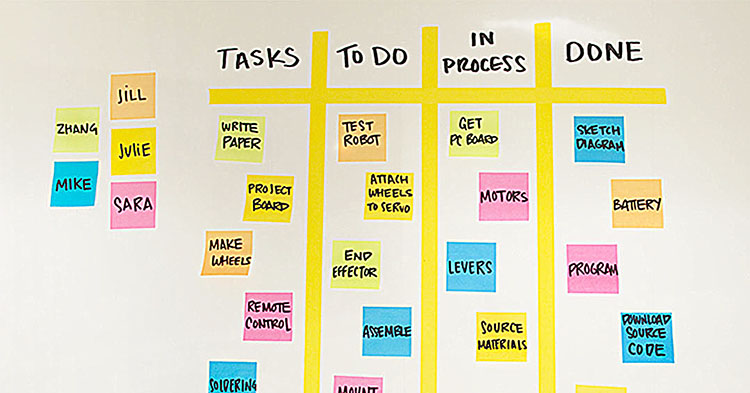
Don’t Be a Slave to Jira

If you’re a developer, you’ve probably come across Jira. If you’re working with Jira right now, you probably know the pain.

You pick up a task. You move its ticket into “In Progress”.

You raise a pull request (PR). You move the ticket to “Code Review”.

Your PR is merged. You move the ticket to the “QA column”.

And you need to remember to follow these steps for every task. There is no reason. We have workflow triggers. You can configure your workflow so that tickets move automatically based on certain events. A PR is created? Move the ticket. A PR is rejected? Move the ticket. A PR is merged? Move the ticket. You get the idea.

Even if you don’t manage your Jira board, get whoever manages it to set up workflow triggers. It’s a huge time saver. It also improves the accuracy of your Jira board.

If you’re using other project tracking software, look for a similar feature. It is probably there.

Save some time. Spend it on something more productive than moving tickets around.